Bing Webmaster Tools MCP
Put your own Bing search data in front of Claude, ChatGPT or Cursor. Paste the free API key from Bing Webmaster Tools into Murkuz once, and your assistant can read Bing clicks, impressions, queries and pages for every site you run, in the same answer as Google Search Console and Analytics 4. No server to host, no code.
What You Get
Your Bing numbers, not estimates
Clicks, impressions, CTR, average position, top queries and top pages, read from your own verified Bing Webmaster Tools sites with your own key.
Bing and Google in one answer
The same assistant sees Search Console and Bing together, so "what do I rank for?" covers both search engines instead of half the picture.
Free to read, on every plan
Bing does not charge for its API and Murkuz does not meter reads of your own data. The free plan connects Bing, Search Console and Analytics 4 for up to 3 sites, no card.
Nothing to host
Self-hosted Bing MCP servers mean a Node or Python process, a config file and a key on your machine. Murkuz stores the key encrypted and serves the data from one connector URL.
Why Bing belongs in the answer
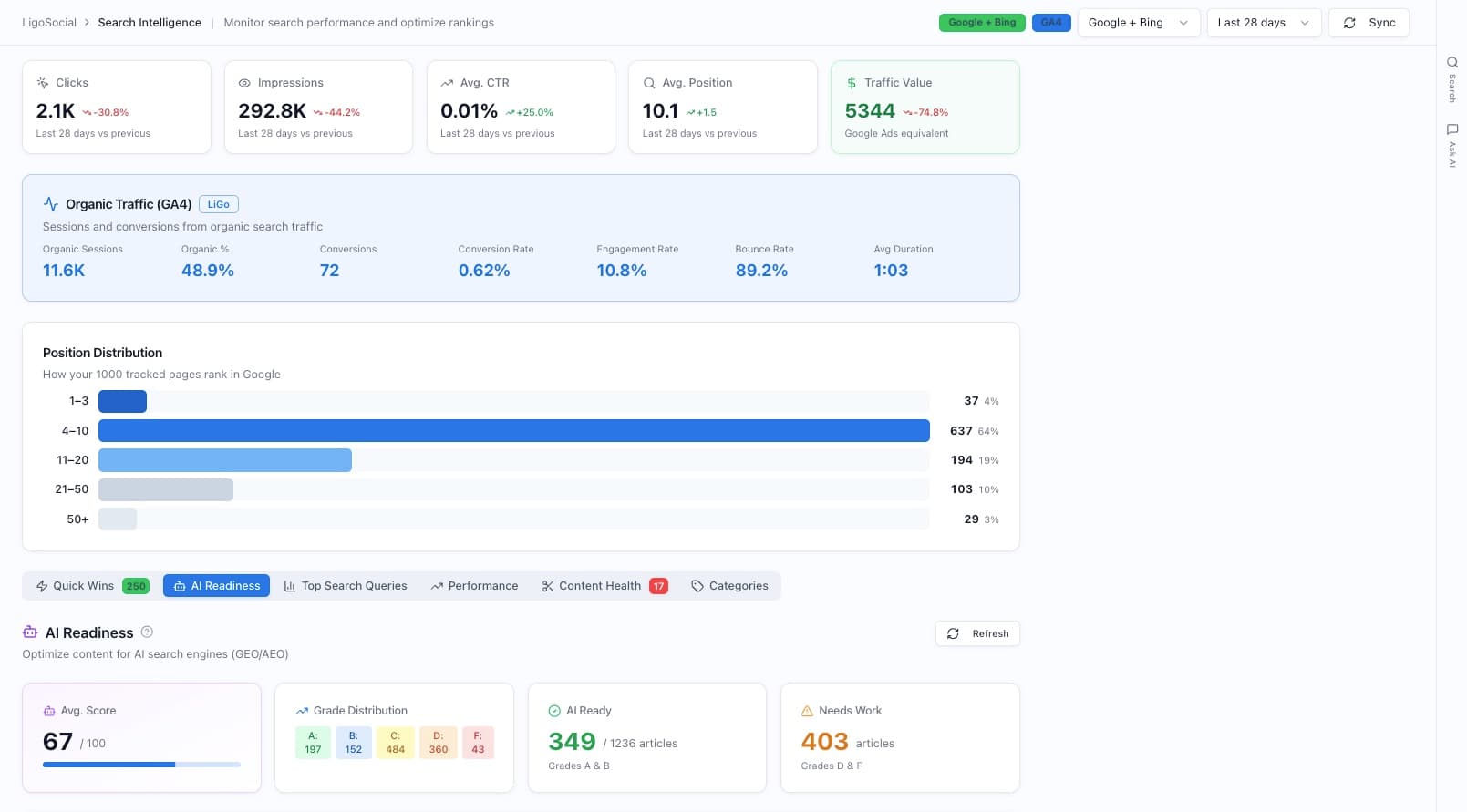
In our study of 7 small sites, Bing sent a median 13% of search clicks (from 2.7% to 17.5%). Bing’s click-through rate was higher than Google’s on 6 of the 7, and those sites sat at an average Bing position of 5 to 5.9.
An assistant that reads only Search Console never sees that slice of your traffic.
Ask "how do I compare on Bing versus Google?" and it can show a site with about 1,590 Bing clicks at average position 5.3 next to almost nothing on Google.
How It Works
Get your Bing API key
In Bing Webmaster Tools, click the Settings gear, then API access, then API key. Generate one if you have none. Your site must already be verified in Bing, and one key covers every verified site on that account.
Paste it into Murkuz
Add your site in Murkuz, open Integrations, choose Bing Webmaster Tools and paste the key. Connect Search Console and Analytics 4 there too if you have not already.
Add the Murkuz MCP to your assistant
Add Murkuz as a connector in Claude or ChatGPT, or as an MCP server in Cursor, with the OAuth connect flow or your API key. Then ask about Bing in plain words.
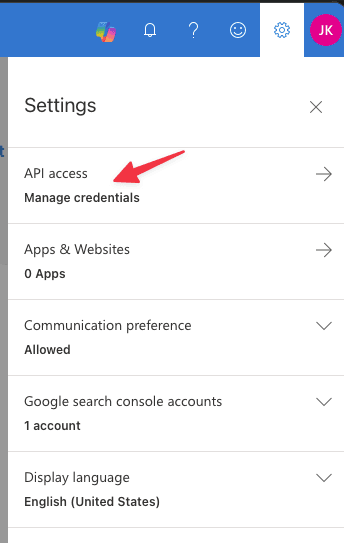
Bing Webmaster Tools: Settings, then API access
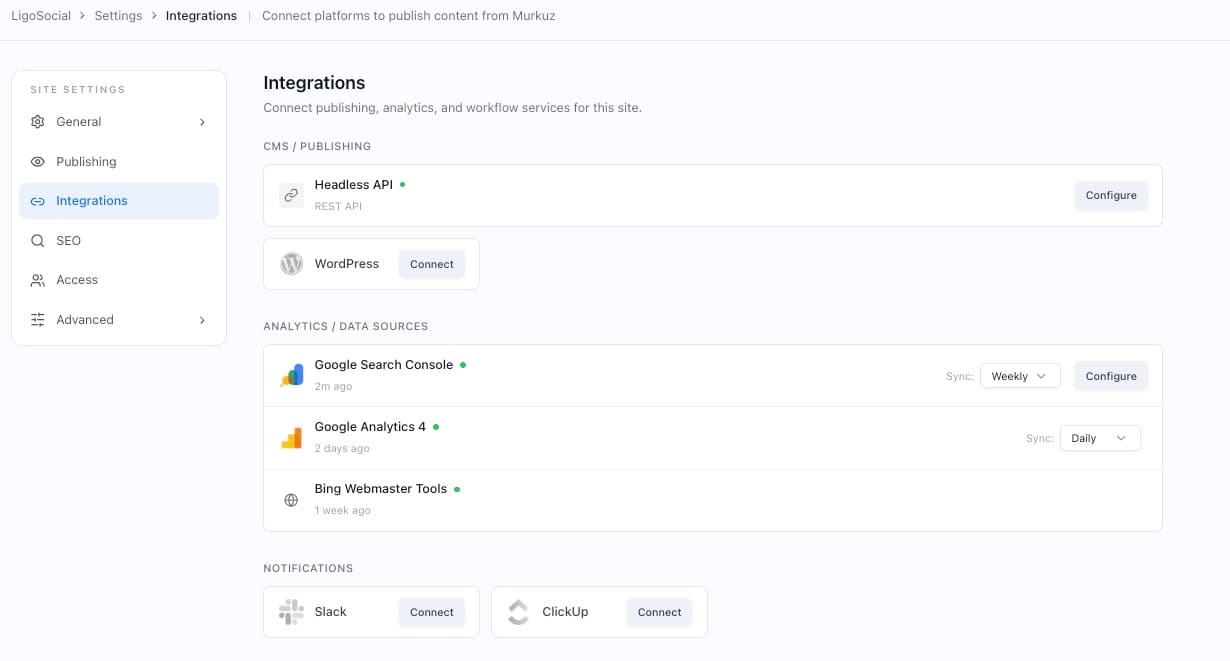
Bing connected next to Search Console and Analytics 4 in Murkuz
Reading Is Only Half the Job
A self-hosted Bing MCP server gives you
Murkuz gives you
Full Capabilities
What your assistant can read from Bing
Not covered yet
Bing keyword research, if you need it
Separate from your own data, Murkuz can look up Bing search volume, keyword ideas and the Bing keywords behind a URL or domain. Those calls buy third-party data, so they are for paying users and billed at data cost plus 10%.