Google Search Console MCP
Connect Search Console to Claude, no Google Cloud project needed. Create a Murkuz account, add your site, and connect your own Google Search Console, plus Bing Webmaster Tools if you use it. From there, Claude, ChatGPT, or Perplexity can read your real clicks, impressions, and positions, and help you understand what's happening and plan what to prioritize.
What You Get
Real Search Data, Not Screenshots
Ask about clicks, impressions, CTR, and average position and get answers pulled live from your own connected Search Console property, not a stale export you copy-pasted in.
Google and Bing, Together
Murkuz is one of the few options that also connects Bing Webmaster Tools. The same assistant tools show your Google and Bing search performance side by side.
No Google Cloud Project
Connect Search Console through the standard Google permission screen inside Murkuz. No service account to create, no API credentials to manage, no server to run.
One Picture, Not Separate Dashboards
The same MCP also surfaces Murkuz's own SEO and GEO scores and detected opportunities (striking-distance queries, low-CTR pages, cannibalization), and can bring in your GA4 performance too, so your assistant can read, understand, and plan what to prioritize in one place.
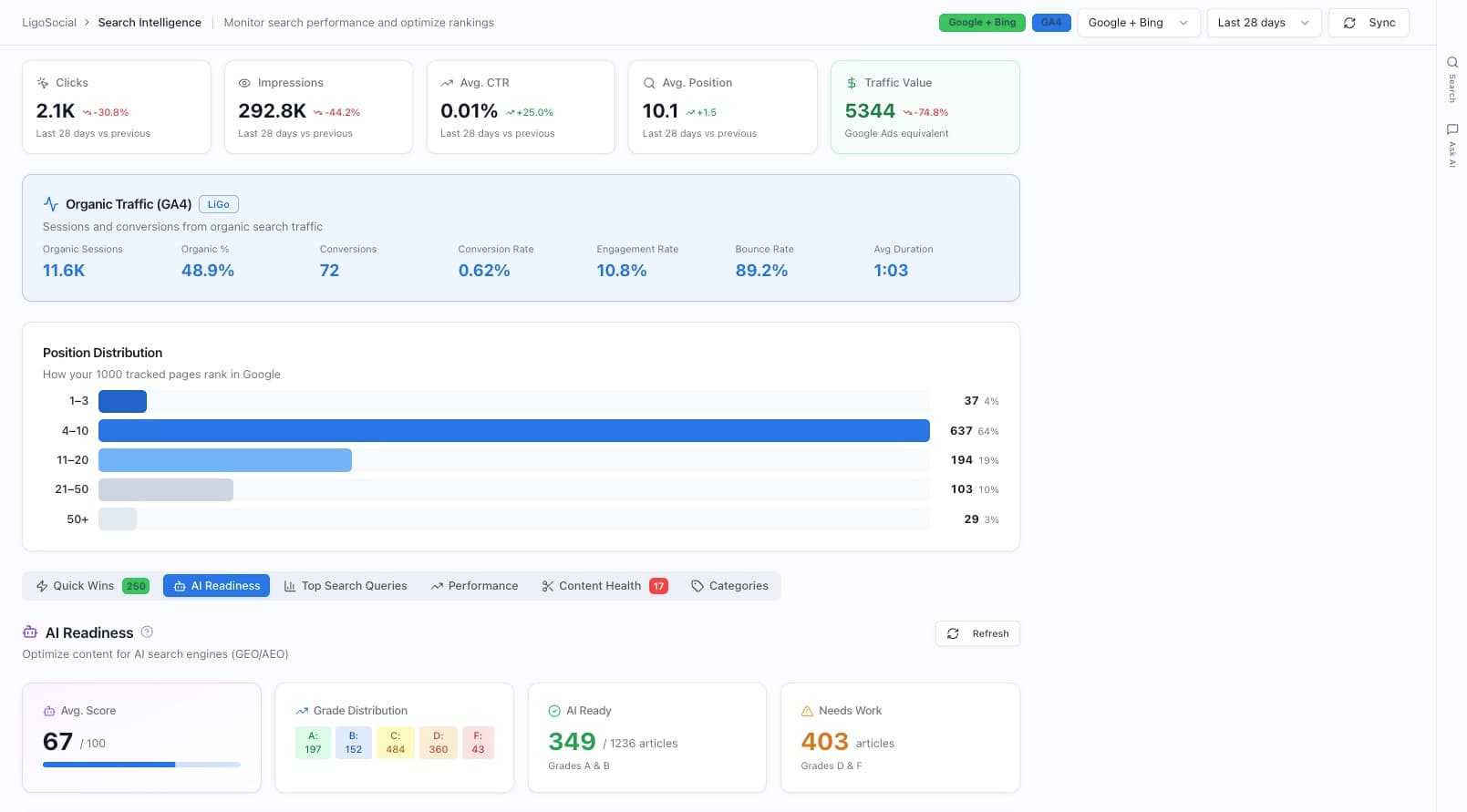
Google, Bing, and GA4 in one place
Murkuz Search Intelligence shows your Google and Bing search performance next to your GA4 organic traffic, so your assistant reads the full picture instead of switching between dashboards.
Ask "how do I compare on Bing versus Google?" and, because Murkuz connects Bing Webmaster too, it can show a site with about 1,590 Bing clicks at average position 5.3 next to almost nothing on Google.
How It Works
Create your account and add your site
Sign up for Murkuz and add the site you want to monitor. Takes a couple of minutes.
Connect Google Search Console (and Bing, if you use it)
Connect your own Search Console property through Google's standard permission screen. Add Bing Webmaster Tools too, so both search engines show up in the same place.
Connect the Murkuz MCP in your assistant
Add the Murkuz MCP to Claude, ChatGPT, or Perplexity with your API key or the OAuth connect flow, then ask about your search data. It reads it live.
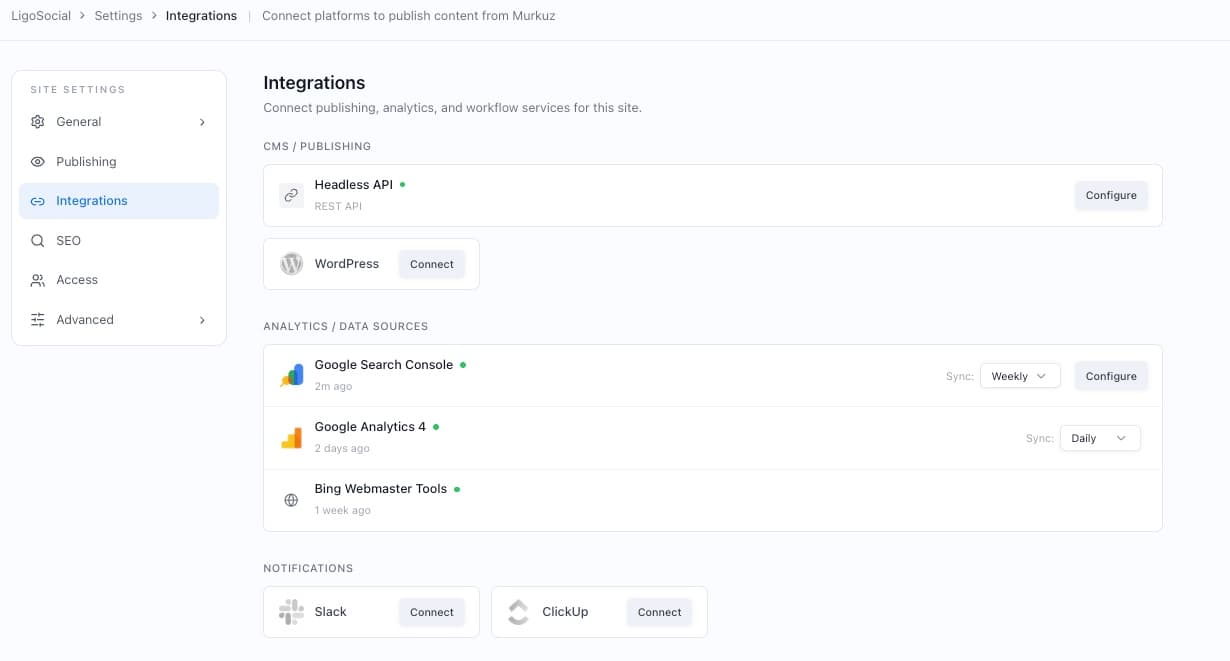
Connect your own Google and Bing accounts inside Murkuz
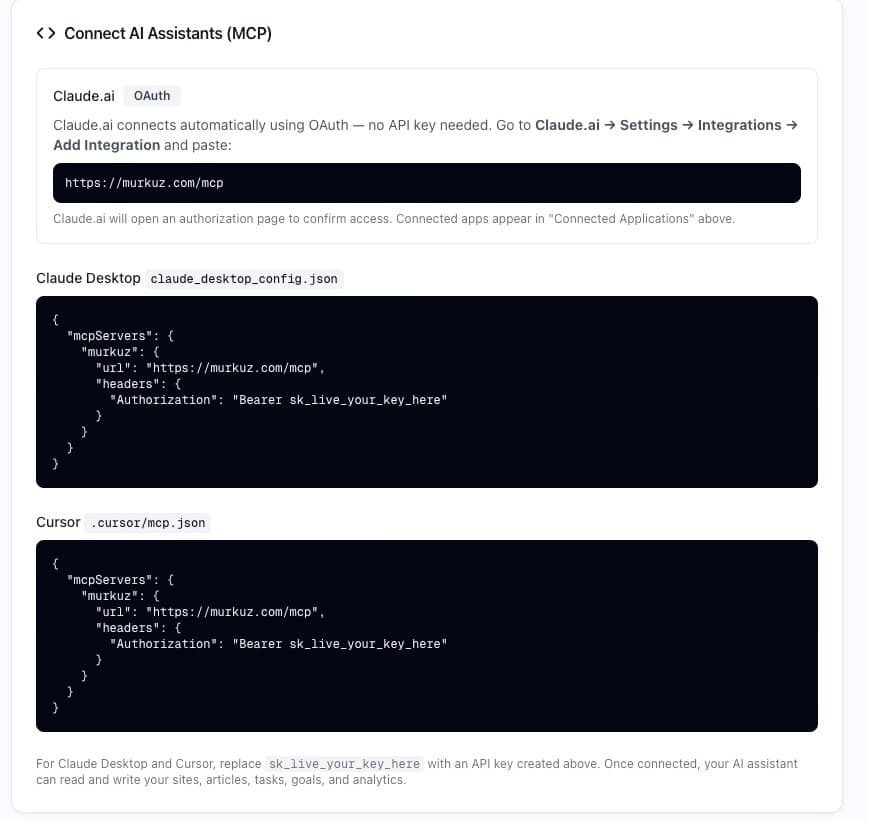
Connect Murkuz's MCP to Claude, Claude Desktop, or Cursor
Reading Is Only Half the Job
A read-only Search Console MCP gives you
Murkuz gives you
Full Capabilities
Search Console Data
Plus Bing Webmaster Tools
Murkuz is one of the few options that also connects Bing Webmaster Tools. Once connected, the same MCP tools show your Google and Bing search performance together, so your assistant sees the full search picture, not just half of it.
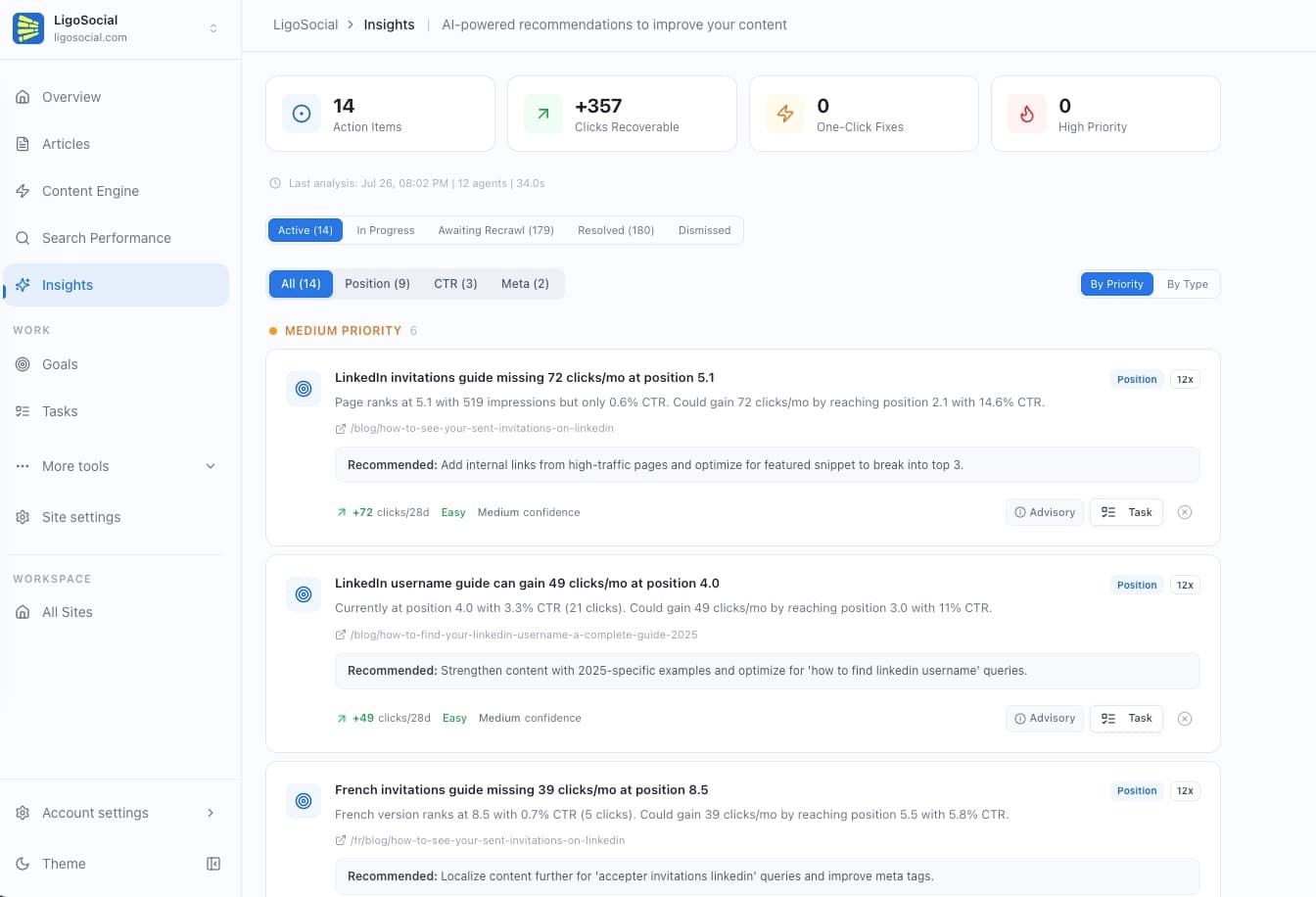
Ask "what are my striking-distance keywords?" and it surfaces, for example, a page at position 5.1 with 519 impressions but only 0.6% CTR that could gain about 72 clicks a month by reaching the top of page one.
Frequently Asked Questions
Connect Search Console. Then see what to prioritize.
Log in, add your site, and connect your own Search Console and Bing Webmaster Tools. Then use the Murkuz MCP from Claude, ChatGPT, or Perplexity to read the data, understand what's happening, and plan what to prioritize.
Free to connect. No credit card required.