Here's the template, copy-paste ready, followed by exactly how to fill in every field so it actually changes what the writer produces. Skip to the full template if you just want the fields; keep reading if you want it to work.
A content brief template is only as good as the thinking that goes into the fields. Most templates you'll find online (and most we've seen ranking for this exact phrase) hand you a form with 20 labeled boxes and stop there. You still have to figure out what actually belongs in "search intent" or "competitor gaps," and that's the part that determines whether the finished article ranks or reads like every other page on the topic.
This is the template we fill in before any article gets written, plus the reasoning behind each field, so you're not just copying labels.
The Template
Copy this table into a doc, spreadsheet, or your project tool of choice. Every row is a field a writer needs before they start typing, not after.
| Field | What Goes Here |
|---|---|
| Working title | The likely H1, phrased as the reader would search it |
| Primary keyword | The exact target phrase, one only |
| Secondary keywords | 3-6 related terms and variants to weave in naturally |
| Search intent | One sentence: what the reader wants to walk away with |
| Audience + level | Who's reading, and what they already know coming in |
| Competitor gaps | What the current top 3-5 results miss or get wrong |
| Must-cover subtopics | The table-stakes points every ranking page includes |
| Structure sketch | Rough H2/H3 order, not a rigid outline |
| Word count target | A range, based on what's actually ranking, not a guess |
| Internal links | 2-5 existing pages to link, with the reason for each |
| External sources | Any stat, study, or doc worth citing for credibility |
| Format requirements | Table, FAQ, checklist, downloadable asset, if any |
| CTA | Where the reader goes next, and why that's the right next step |
Thirteen fields, one page, filled in before a single sentence of the article gets written. Now here's how each one actually gets filled in well.
Why a Content Brief Template Alone Isn't Enough
A blank template with good labels still produces a bad brief if you fill it in from guesswork. "Search intent: informational" tells a writer nothing. "Search intent: reader wants a copy-paste template plus enough context to fill it in without a second Google search" tells them exactly what to write toward.
The difference between a brief that produces a page-one result and one that produces forgettable filler is almost never the template structure. It's whether the person filling it in actually looked at what's currently ranking before writing the fields.
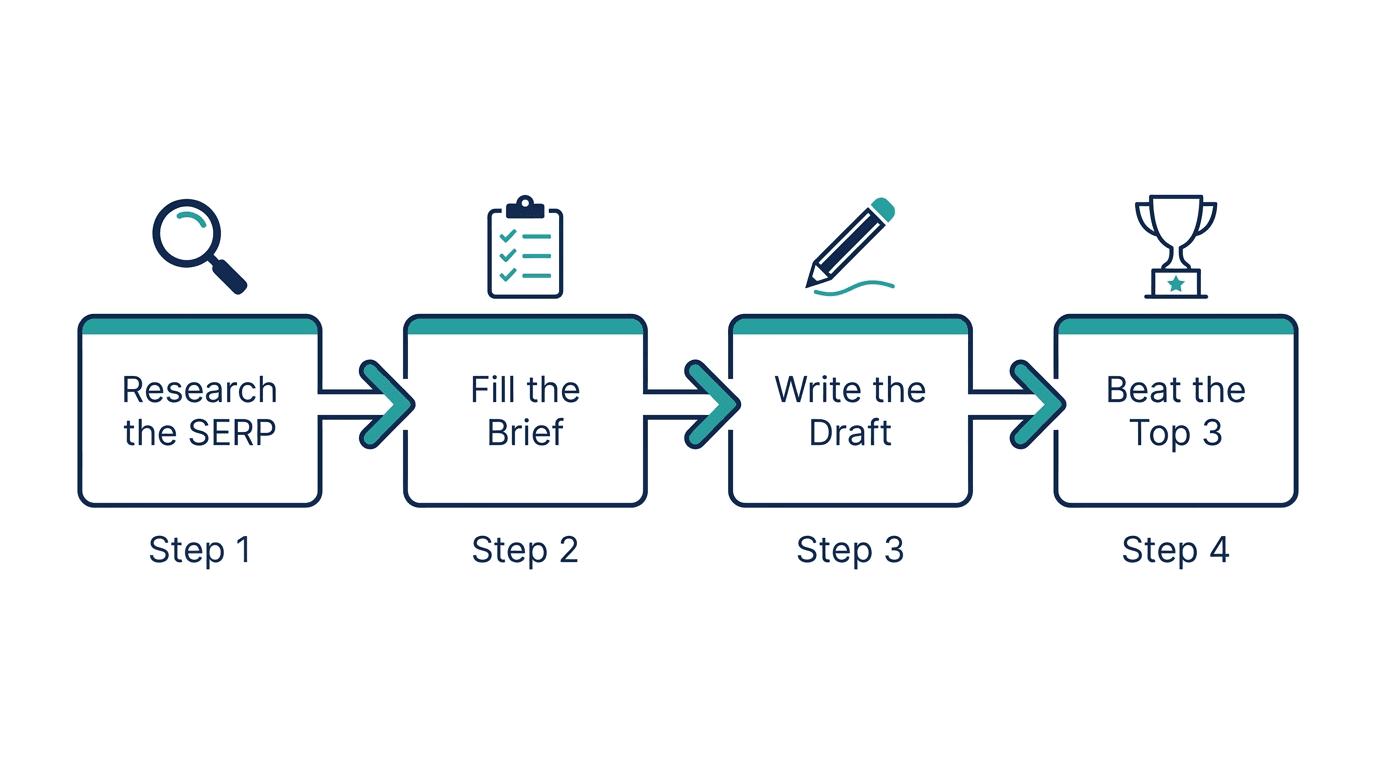
<mark class="km-highlight" style="--hl:#FEF08A;background:#FEF08A">A brief built from five minutes of real SERP research beats a brief built from assumptions, every time.</mark> That's the whole method below.
Field-by-Field: How to Fill In Each One
Working title and primary keyword
Write the title the way someone would type the search, not the way a headline writer would phrase it for style. "Content brief template" beats "The Ultimate Guide to Crafting Winning Content Briefs" for a template-intent query. Save the clever phrasing for the subtitle.
If you have not yet decided which keywords share this page, settle that before the brief: a SERP-based keyword clustering tool shows which variants Google already treats as one search, and those variants become the brief's secondary keywords.
Search intent, in one sentence
Before anything else, search the keyword yourself and look at what Google is actually showing:
- Is it mostly downloadable templates, "what is X" explainers, or step-by-step guides?
- Is there a shopping carousel, video pack, or featured snippet taking a chunk of the page?
- What do the "People Also Ask" questions reveal about what searchers actually want next?
Write the intent down as one sentence a writer can hold in their head the whole draft: "reader wants a ready-to-fill template, not a lecture on why briefs matter." Every other field gets tested against that sentence. If a subtopic doesn't serve it, cut it from the brief.
Audience and level
A brief for a solo blogger filling this in for the first time and a brief for an agency content lead standardizing across ten writers produce different drafts from the same keyword. Name the audience explicitly so the writer doesn't have to guess a reading level or assume prior knowledge that isn't there.
Competitor gaps (the field most briefs skip)
Open the top 3-5 ranking pages and read them the way an editor would. For each one, note:
- Roughly how deep it actually goes versus how long it is
- The subtopics and headings it covers, in what order
- Whether it has a real downloadable asset, a filled-in example, or just a bare list of field names
- What it's missing: a stale field, no context on why a field matters, no example brief, weak or absent FAQ
This is the step that turns "as good as the competition" into "better than the competition." A brief that only lists must-cover subtopics produces a page that matches what's already ranking. A brief that also lists what's missing produces a page with a reason to outrank it.
Must-cover subtopics
This is the union of what every top-ranking page covers. Skip one of these and the finished piece reads thinner than what's already on page one, no matter how well-written it is otherwise.
Structure sketch
Give the writer an order, not a cage. A rough H2 flow (what it is, the template itself, how to fill each field, common mistakes, FAQ) is enough. Over-specifying every H3 in advance produces stiff, box-ticking prose; leaving structure open produces a piece that reads like a person wrote it.
Word count target
Base this on what's actually ranking, not a house style number pulled from nowhere. If the top 3 average 1,200-1,600 words with real depth, briefing a writer for 600 words guarantees a page too thin to compete, and briefing for 4,000 wastes their time on padding nobody asked for.
Internal links
List the 2-5 existing pages this piece should point to, and why each one earns the link. A brief that just says "add internal links" produces links bolted on after the fact, dropped wherever they fit visually. A brief that names the actual pages produces links a reader would click on purpose.
External sources
Anything worth citing for credibility: a stat from a primary source, official documentation, an industry study. Name the ones you already know exist so the writer isn't citing something outdated or, worse, inventing a number.
Format requirements
State up front if the piece needs a comparison table, an FAQ, a checklist, or a downloadable version of the template itself. Adding these as an afterthought after the draft is done usually means the table gets bolted onto the end instead of earning its place mid-article.
The CTA
Every brief should end with where the reader goes next and why that's a reasonable next step for someone who just read this specific page, not a generic "learn more" link. A content-brief piece pointing a reader toward a keyword clustering step, for instance, makes sense because clustering is usually the step right before briefing.
A Filled-In Example
Here's what the top rows look like filled in for this exact article, so you can see the difference between a labeled box and a useful instruction:
- Working title: "Content Brief Template" (matches the query, not a clever rewrite)
- Search intent: "Reader wants a copy-paste template plus enough guidance to fill it in correctly on the first try, not a theory lecture."
- Competitor gaps: "Top-ranking pages give a template but skip the reasoning behind each field. Nobody shows a fully filled-in example."
- Format requirements: "One clean table for the template itself, one short filled-in example, real FAQ."
That's the difference a properly worked brief makes: a writer (human or AI) can act on it without a follow-up question.
Common Mistakes That Waste a Good Template
- Filling in fields from memory instead of from the current SERP. Rankings shift. A brief based on what ranked six months ago misses what's ranking now.
- Treating "search intent" as one of four generic buckets. Informational, commercial, transactional, navigational are a starting label, not the finished thought. Write the actual sentence.
- Skipping the competitor-gaps field because it takes longer. This is the single highest-leverage field in the whole brief. Skipping it is the most common reason a brief-following draft still doesn't rank.
- Over-specifying structure down to every sentence. A writer following a brief that dictates every clause produces prose that reads like it was filled in, because it was.
- Forgetting to name the CTA. A brief that stops at "write good content" leaves the page's actual job undone.
Where This Fits If You're Managing More Than One Brief
A single brief is easy to keep in your head. The trouble starts once you're running ten or fifty articles at a time and the missing-topics field ("what are we not covering that competitors are") has to come from a real content map, not a hunch. That's the point where Murkuz's feature set does the first few fields of this template for you: it scans your existing content against what's actually ranking, flags the topics you have no page for yet, and drafts a starting brief for each gap automatically, so you start from a real content-gap analysis instead of a blank table.
If you're building that content map keyword-by-keyword first, the keyword clustering tool is the step that usually comes right before this one: paste a keyword list, get pillar-and-spoke clusters back, and turn each spoke into a brief using the template above.
FAQ
What is a content brief template?
A content brief template is a reusable document, usually one page, that captures everything a writer needs before drafting: the target keyword, the search intent, the subtopics competitors cover, the gaps to fill, and where the finished piece should send the reader next.
What should a content brief include at minimum?
At minimum: the primary keyword, a one-sentence statement of search intent, the must-cover subtopics from current top-ranking pages, a word count range grounded in what's actually ranking, and the internal links the piece should include.
Is a content brief the same as an outline?
No. An outline is a heading structure. A brief is everything that has to be true before you can write a good outline: the keyword, the intent, the audience, the competitor gaps, and the constraints. A good brief usually produces the outline, not the other way around.
How long should a content brief be?
Long enough to answer every field above, usually one page. A brief that runs five pages with tone notes and style-guide links is not wrong, but the length itself is not the point; a short brief that nails the six or seven load-bearing fields beats a long one that pads around them.
Do I need a different brief for every article?
Yes, even for closely related topics. Two articles targeting "content brief template" and "how to write a content brief" serve different intents (one wants the fill-in-able document, one wants the process) and need separately reasoned briefs, even though they'd reuse a lot of the same competitor research.
Junaid Khalid is the founder of Ertiqah and the builder of Murkuz. He has run SEO as the first growth channel across his own SaaS products, which is why Murkuz is built to close the loop from a detected gap to a published fix instead of stopping at a report.