An internal linking checker tells you two things: which pages on your site have broken or missing internal links, and which pages are under-linked relative to how much they deserve. You do not need to buy anything to get both answers. Google Search Console and a free site crawl cover most sites under a few hundred pages, and the gaps they leave are narrow enough to close by hand.
Below is a comparison of every genuinely free method, what each one actually shows you, where each one breaks down, and the order to run them in so you are not duplicating work.
What an Internal Linking Checker Actually Checks
Most tools claiming this name check one or more of four things, and no single free tool covers all four:
- Broken internal links. A link on your site pointing to a URL that now 404s, redirects, or was deleted.
- Inlink count per page. How many other pages on your site link to a given URL, which is the rawest signal of how much internal authority a page is getting.
- Orphan pages. Pages that exist and may even rank, but have zero internal links pointing to them anywhere on the site.
- Anchor text distribution. What words are actually used in the links pointing at a page, since that shapes what Google associates the target page with.
Knowing which of these four you need is the fastest way to pick the right free tool, since most of them are built to do one or two of these well and skip the rest.
The Free Methods Compared
| Method | Best for | Free limit | What it misses |
|---|---|---|---|
| Google Search Console Links report | Real inlink counts, already-indexed data | Unlimited, but only shows what Google has crawled and indexed | No broken-link detection, no anchor text breakdown, delayed data |
| Screaming Frog SEO Spider | Full crawl, broken links, orphan detection via list mode | 500 URLs per crawl | Needs a desktop install; orphan detection requires cross-referencing a second data source (sitemap or GSC) |
| Browser extensions (e.g. Internal Link Checker on Chrome Web Store) | Quick single-page checks while browsing | Usually per-page only, not site-wide | No site-wide view, nothing saved or exported, easy to lose track across many pages |
| Sitemap vs. crawl diff | Finding true orphans | Free if you already have both files | Manual spreadsheet work, no anchor text or link-quality data |
Google Search Console: Start Here, It Is Already Running
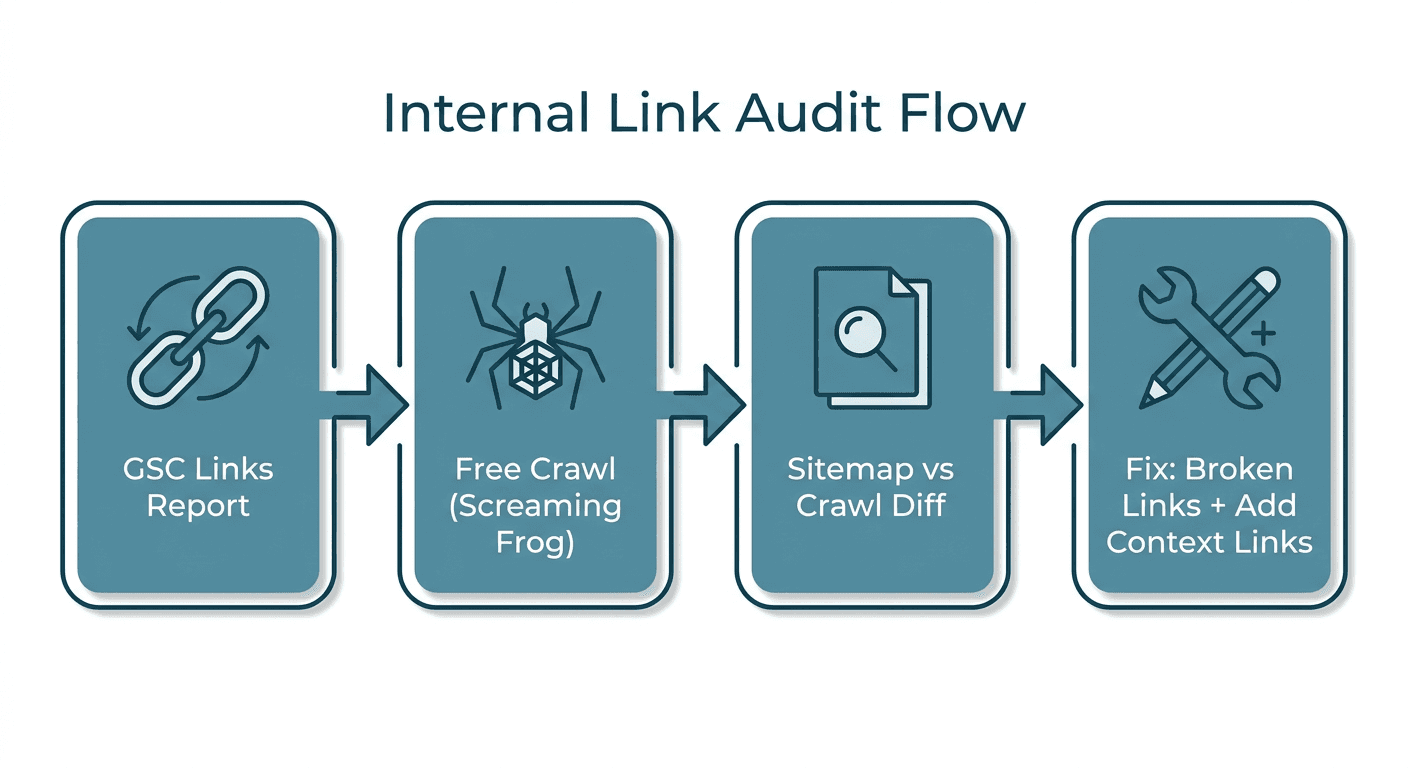
Search Console already has crawl data for every page Google knows about, so it is the fastest way to check internal links with zero setup. Go to Links > Internal links and sort by "linking pages" ascending. Anything near the bottom, especially a page that also gets organic clicks in the Performance report, is under-linked relative to its potential and worth fixing first.
The catch: GSC only shows links Google has already crawled and indexed. A link you added yesterday will not show up yet, and a page that is genuinely orphaned might not appear in this report at all, since GSC can only report on pages it knows exist. That is the gap the next two methods close.
Screaming Frog: The Free Crawl That Finds Broken Links
Screaming Frog's free tier crawls up to 500 URLs, which covers most small-to-mid blogs and marketing sites in one pass. Run a standard crawl, then check the Response Codes tab for anything returning 4xx or 5xx that another page on your site still links to. That is your broken internal links list.
For orphan pages, switch to list mode: upload your XML sitemap as the URL list, crawl it, then compare that list against a normal crawl starting from your homepage. Any sitemap URL that the homepage-start crawl never reaches by following links is an orphan, since Screaming Frog only discovers pages by actually clicking through links the way a real crawler does.
Browser Extensions: Fast, But Only One Page at a Time
Extensions like the Chrome Web Store's Internal Link Checker highlight every internal and external link on the page you are currently viewing, which is genuinely useful for a quick spot-check before you hit publish on a new article. They are not built for a site-wide audit though. There is no crawl, no export, and no way to see the other 200 pages on your site while you are looking at one. Treat these as a pre-publish habit, not your primary audit method.
The Sitemap-vs-Crawl Diff: How to Actually Confirm an Orphan
This is the step most guides skip, and it is the only reliable free way to prove a page is a true orphan rather than just under-linked. Pull your XML sitemap URL list, then run a crawl that starts from your homepage and only follows links (not the sitemap). Any URL present in the sitemap but absent from the link-followed crawl has zero internal links pointing to it anywhere on the site. That page is invisible to both users and Google unless someone lands on it directly or through an external link.
Why Most Internal Linking Checkers Stop Short of the Real Problem
Nearly every tool ranking for "internal linking checker" today answers a narrower question than the one that actually costs you rankings. They tell you a link is broken, or count how many links point at a URL. What they almost never tell you is WHY a page is under-linked in the first place, and the most common reason is content cannibalization: you have two pages competing for the same keyword, so neither one gets treated as the obvious target for new internal links. A checker that just counts inlinks will flag both pages as "under-linked" without ever surfacing that they are actually the same problem wearing two URLs.
<mark class="km-highlight" style="--hl:#FEF08A;background:#FEF08A">A broken-link scan tells you what is wrong. It rarely tells you why a page stayed under-linked in the first place.</mark>
If you are finding a cluster of under-linked pages that all target similar keywords, stop patching links one at a time and check for cannibalization first. Our guide on finding internal linking opportunities walks through exactly how to cross-reference GSC's Performance report against your link data to catch this pattern, and Murkuz's content cannibalization use case is built specifically to flag these overlapping-query patterns automatically from your GSC data instead of leaving you to eyeball a spreadsheet.
A Simple Priority Order for Fixing What You Find
Once you have a list of broken links, under-linked pages, and orphans, work in this order rather than fixing whatever is easiest first:
- Broken internal links on high-traffic pages. These actively waste crawl budget and frustrate readers right now. Fix or redirect them today.
- Orphan pages with real search demand. A page nobody links to cannot pass or receive authority. Add at least one contextual link from a relevant, established page immediately.
- Under-linked pages that already rank on page one or two. A small link boost is often the exact nudge that moves a position 8 to a position 4.
- Everything else. Lower-traffic, already well-linked pages can wait for your next quarterly pass.
Keeping the Fixes From Piling Back Up
A one-time audit clears today's backlog, but new broken links and new under-linked pages appear every time you publish, restructure a category, or retire an old post. Two habits keep the list small:
- Check internal links as part of your publish checklist, not as a separate quarterly project. Before an article goes live, spend five minutes finding two or three existing pages that should link to it.
- Re-run a full crawl every quarter, or monthly if you publish weekly. Sites that grow past a few hundred pages start generating broken links and orphans faster than a manual habit alone can catch.
If your site runs on WordPress and you would rather not do the republishing by hand once you have found an issue, Murkuz's WordPress integration can push a fixed page, including updated internal links and metadata, straight back to the live post once you approve the change, so a found problem does not sit in a spreadsheet waiting for someone to copy and paste it in. For sites juggling this across a few hundred pages rather than a handful, that is generally the point where a manual quarterly crawl stops being the fastest option; see our SEO workflow overview for how the detect-to-fix loop works end to end.
FAQ
What is the best free internal link checker?
For most sites, the combination of Google Search Console's Links report and Screaming Frog's free tier (500 URLs) covers the majority of what a paid crawler adds. GSC gives you real inlink counts already indexed by Google; Screaming Frog adds broken-link detection and, with a sitemap diff, orphan page discovery.
How do I check internal links on my website?
Start in Google Search Console under Links > Internal links to see your current inlink counts per page. Then run a free Screaming Frog crawl and check the Response Codes tab for broken links. For orphan pages, compare your XML sitemap's URL list against a crawl that starts from your homepage and only follows links.
What causes broken internal links?
Most broken internal links happen when a page is deleted, its URL slug changes, or it gets merged into another page without a redirect, while other pages on the site still link to the old URL. Site migrations and category restructures are the most common trigger for a sudden spike in broken links.
How many internal links should a page have?
There is no universal number, but healthy pages on most sites sit somewhere between 3 and 10 internal links pointing to them, scaled to overall site size. Relevance matters more than count: three contextual links from pages your readers actually visit outperform twenty generic links buried in a footer or sidebar.
Can Google Search Console show broken internal links?
Not directly. The Links report shows which pages have internal links pointing to them, but it does not flag which of those links return an error. For broken-link detection specifically, you need a crawler like Screaming Frog that checks the actual HTTP response code of every link it follows.
Junaid Khalid is the founder of Ertiqah, the studio behind Murkuz, and has run SEO as the first growth channel across several of his own SaaS products before building a tool to automate the parts of that process he found himself repeating by hand every week.