Most "best SEO software for agencies" lists are really "best SEO software" lists with the word "agencies" added to the title. They rank Ahrefs, Semrush, and Moz, note that they have client-reporting add-ons, and move on. That answers "what tool has the best keyword data," not the question an agency owner actually has: which tools let me run fifteen client accounts without hiring another analyst for every five clients I sign.
This guide sorts SEO software by the job it actually does for an agency, tells you where the categories overlap (so you stop paying twice for the same feature), and gives you a straight framework for deciding what to buy at 3 clients versus 30.
The Four Categories Agencies Actually Need
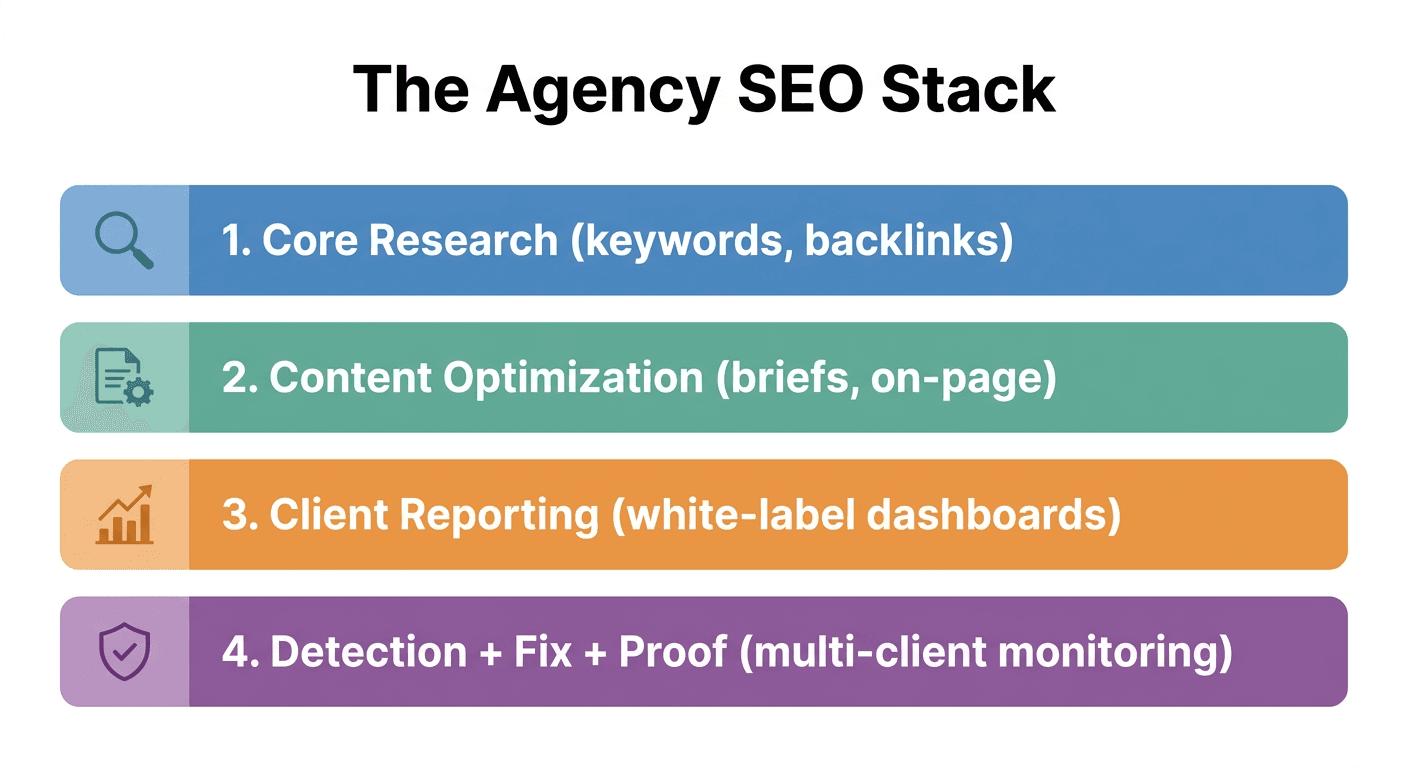
Every agency SEO stack, no matter the size, is assembled from four job categories. Most tools live in exactly one; a few try to cover two or three.
- Core research and audits. Keyword data, backlink analysis, rank tracking, technical crawls. This is the raw data layer everything else depends on.
- Content optimization. Turning keyword research into briefs and drafts that are actually structured to rank, not just stuffed with the target term.
- Client reporting and white-label dashboards. Aggregating data from GSC, GA4, and your SEO tools into something a client can log into without seeing your vendor's logo.
- Detection, task management, and proof of work. The part almost every list skips: knowing which of your 200 client pages just dropped in rank this week, turning that into an assigned task, and proving to the client that the fix you shipped is what caused the recovery.
Category 4 is where the multi-client pain actually lives, and it is the newest, thinnest category on most lists. Keep that in mind as you read the comparison below.
Comparison: SEO Software for Agencies at a Glance
| Tool | Primary category | Multi-client model | Where it's strong | Where it falls short for agencies |
|---|---|---|---|---|
| Ahrefs | Core research | Manage via separate projects/workspaces | Backlink data, keyword difficulty | No native client reporting or task workflow; reporting is a bolt-on |
| Semrush | Core research + reporting | Client-facing "My Reports" | Broadest single-tool feature set | Pricing scales fast per user/project; still exports data rather than managing tasks |
| AgencyAnalytics | Reporting & dashboards | Built for agencies from day one | White-label dashboards, 80+ integrations | Aggregates other tools' data; doesn't detect issues or generate fixes itself |
| Screaming Frog | Technical audits | One crawl at a time, per site | Deep, fast technical crawls | Desktop tool, no ongoing monitoring or client portal |
| Surfer / Clearscope | Content optimization | Per-document, not per-client | Content briefs, on-page scoring | Doesn't touch detection, reporting, or publishing |
| Murkuz | Detection, fix, proof | Native multi-site dashboard, one login | Detects decay across every client site, drafts the fix, and proves the ranking result | Not a backlink or keyword-research database; pairs with (not replaces) a research tool |
None of these fully replace each other. The realistic agency stack is one research tool, sometimes a content tool, and something to handle the daily monitoring, task assignment, and client-facing proof across every account at once. That last piece is usually where agencies are still stitching together a spreadsheet, a project management board, and a reporting tool that were never built to talk to each other.
What Actually Breaks When You Scale Past 10-15 Clients
Ask any agency owner what happened after client number ten, and you get a version of the same answer: revenue went up, and so did the busywork that has nothing to do with strategy.
- Manual monitoring across every account. Checking Google Search Console for 15 separate client properties every week is a full-time job nobody signed up for.
- Reports that don't retain anyone. "Rankings improved" is not proof. Clients want to know your work, not an algorithm update, caused the result, and most reporting tools can only show correlation, not causation.
- Constant context switching. Fifteen GSC accounts, fifteen CMS logins, fifteen project boards. Every switch is a few seconds of lost focus, and it adds up to real hours every week.
- Churn from unproven value. Without a clear line from "we did this" to "your rankings did this," clients start questioning the retainer around month four to six, right when the relationship should be turning into a long-term account.
This is the actual reason agency SEO software exists as its own category, separate from general-purpose SEO tools. A research tool built for a single in-house marketer scales fine to one site. It does not scale to managing the same workflow across fifteen sites without either hiring proportionally or letting quality slip.
How to Choose: A Framework by Agency Stage
Solo operator or 1-5 clients. You likely don't need a dedicated multi-client platform yet. A single research tool (Ahrefs or Semrush) plus a lightweight reporting tool covers you. Buying an agency-scale platform this early is usually overbuying.
6-15 clients, one or two people doing the SEO work. This is the range where manual monitoring starts costing more than the software would. Look specifically for a platform that surfaces what changed across every client site without you opening each GSC account individually, and that turns a detected problem into an assigned task automatically. This is the gap Murkuz is built to close: instead of exporting GSC data and building tickets by hand, it scans every connected client site daily and turns declining pages into a prioritized task queue on its own.
15+ clients, or a dedicated ops/reporting function. At this scale, white-label branding and API access stop being nice-to-haves. Clients expect a portal with your logo, not a PDF with someone else's watermark. This is also the point where proof of ROI becomes a retention tool, not just a reporting formality: a scorecard that shows a specific fix drove a specific ranking recovery is a materially stronger renewal conversation than a chart that only shows a line going up.
Publishers, enterprise teams, and full-service agencies with unlimited sites. At the top end, the constraint shifts to seat and site limits themselves. Tools that price by "sites monitored" or "projects" become expensive fast once you're past a few dozen properties, which is why unlimited-site plans exist specifically for this tier.
The Part Most Software Skips: Turning Detection Into a Finished Fix
Here's the workflow gap that shows up in almost every "best SEO tools for agencies" list: they stop at detection and reporting. You still have to export the data, write a content brief, brief a writer, review the draft, and manually publish it to each client's CMS. That handoff, not the initial audit, is where most of an agency's weekly hours actually go.
Murkuz's whole design is built around closing that specific gap. Its workflow runs five steps end to end: it detects declining pages and low-hanging-fruit opportunities from each client's Search Console data every day, assigns a contextual task with the recommended fix and priority attached, drafts the fix itself (referencing a per-client HyBrain knowledge base so the AI-generated content matches each client's brand voice rather than reading as generic AI copy), pushes the approved fix live to WordPress, Webflow, or Framer with one click, then monitors the ranking and proves the result with an <mark class="km-highlight" style="--hl:#FEF08A;background:#FEF08A">Impact Scorecard that links a specific fix to a specific ranking recovery</mark>, not just a chart that happens to trend upward. On the Command plan, that runs across unlimited client sites from one white-label dashboard, with full API access for agencies that want to build it into their own client-facing tools.
That last part matters more than it sounds. A rankings chart proves nothing about causation. A scorecard that ties "we refreshed this page on this date" to "position moved from 19 to 11 over the following three weeks" is the difference between a client renewing on faith and a client renewing because they can see the receipt.
Multi-Client Dashboards: What to Actually Look For
Not every tool that claims "multi-client support" gives you the same thing. Before you buy, check for these specifically:
- One login, every client, one view. Not fifteen separate projects you have to click into individually to see what changed.
- Per-client context on every task. A generic "fix this page" ticket is nearly useless three weeks later when you've forgotten which client and which strategy it was tied to.
- White-label branding that's actually complete. Custom domain, your logo, your colors, on every report and every client-facing screen, not just a toggle that hides one vendor watermark.
- Batch or per-client execution. Some weeks you want to work through Client A's queue start to finish; other weeks you want to batch every "content decay" task across all fifteen clients at once. The dashboard should support both without extra clicking.
- API access if you already have your own client portal. Agencies at 20+ clients often have an existing reporting layer they don't want to abandon. Full API access lets the detection and task data feed into it instead of forcing a rebuild.
FAQ
What is the best SEO software for agencies managing multiple clients?
There isn't a single tool that covers every job. Most agencies pair a core research tool (Ahrefs or Semrush) for keyword and backlink data with a dedicated multi-client platform that handles daily monitoring, task assignment, and reporting across every account, since research tools alone weren't built for the workflow of managing fifteen separate sites at once.
Is Semrush or Ahrefs good enough for an agency on its own?
Both are strong at the research layer: keyword data, backlink analysis, technical audits. Neither was built primarily as a multi-client operations tool, so agencies running more than a handful of clients typically still need a separate reporting and monitoring layer alongside them.
How much should an agency budget for SEO software per month?
It depends heavily on client count and page volume. A solo operator with a handful of small sites can run on $70-150/month total. Agencies managing 15+ client sites with white-label reporting typically land in the $400-900/month range once research, reporting, and a monitoring platform are combined, though consolidating into fewer tools usually lowers this rather than raises it.
What's the difference between a rank tracker and a full agency SEO platform?
A rank tracker only tells you position changes. A full platform (detection through reporting) tells you why a page dropped, what to do about it, and whether the fix you shipped actually worked, which is the part that determines whether a client renews.
Do agencies need separate tools for AI search visibility now?
It's becoming a standard checklist item alongside traditional rank tracking, since a page can rank well in classic search results and still never surface in an AI-generated answer. Look for this as a feature within your existing stack before adding a fifth subscription just to cover it.
The Real Question Isn't Which Tool Has the Most Features
It's which combination of tools removes the most manual hours from your week without adding a login your team forgets to check. A research tool tells you what to target. A content tool helps you write it well. A detection-and-proof platform is what keeps fifteen client accounts from quietly turning into fifteen part-time jobs for your team. Most agencies need at least one from each category; very few need five separate subscriptions doing overlapping jobs.
If the bottleneck in your agency right now is hours, not strategy, that's specifically the gap worth closing first. You can see how the multi-client dashboard and white-label reporting work end to end, or go straight to comparing plans if you already know you need unlimited sites under one login.
Junaid Khalid is the founder of Ertiqah, the studio behind Murkuz. He has run SEO as the first growth channel across several of his own SaaS products before building Murkuz to automate the parts of that process that were pure repetitive labor.