Most "best SEO dashboard software" lists are just reviews ranked by star rating. They will tell you Semrush has more integrations than Moz, or that DashThis has prettier charts than Databox. What they will not tell you is what actually breaks six months after you sign the contract: the white-label reports that turn out to be a $200/month add-on, the "unlimited" plan that caps you at 10 scheduled sends, or the dashboard that looks great in the demo and then nobody on your team opens again.
This is a buyer's guide, not a rankings list. If you already know you want a dashboard and just need a shortlist, the checklist below will get you there faster than reading thirteen tool reviews back to back.
What SEO Dashboard Software Actually Does
SEO dashboard software pulls ranking, traffic, and technical data from sources like Google Search Console (GSC) and Google Analytics 4 (GA4), plus a paid tool's own crawler and keyword database, into one visual report you (or your client) can check without logging into five separate platforms.
That's the whole job: reduce "where do things stand" from a 45-minute weekly Frankenstein export into a 90-second glance. Everything past that (white-labeling, alerts, AI summaries) is a feature layered on top of that core job, and it's worth pricing separately in your head, because vendors often price it separately too.
Three product categories get lumped under "SEO dashboard software," and they solve different problems:
- Reporting/BI layers (DashThis, Databox, Looker Studio, Reportz): connect to data you already have and visualize it. Cheapest, most flexible, no SEO intelligence of their own.
- Full SEO suites with dashboards attached (Semrush, Moz, SE Ranking, SpyFu): the dashboard is one module inside a keyword-research-and-rank-tracking product. You're paying for the whole suite whether you use it or not.
- Detect-and-act platforms: dashboards that don't just display a ranking drop, they generate the fix task and let you publish the correction, so the dashboard is a starting point for work rather than a dead end.
Knowing which category you actually need cuts most shortlists in half before you look at a single price page.
The Buyer's Checklist: What to Actually Evaluate
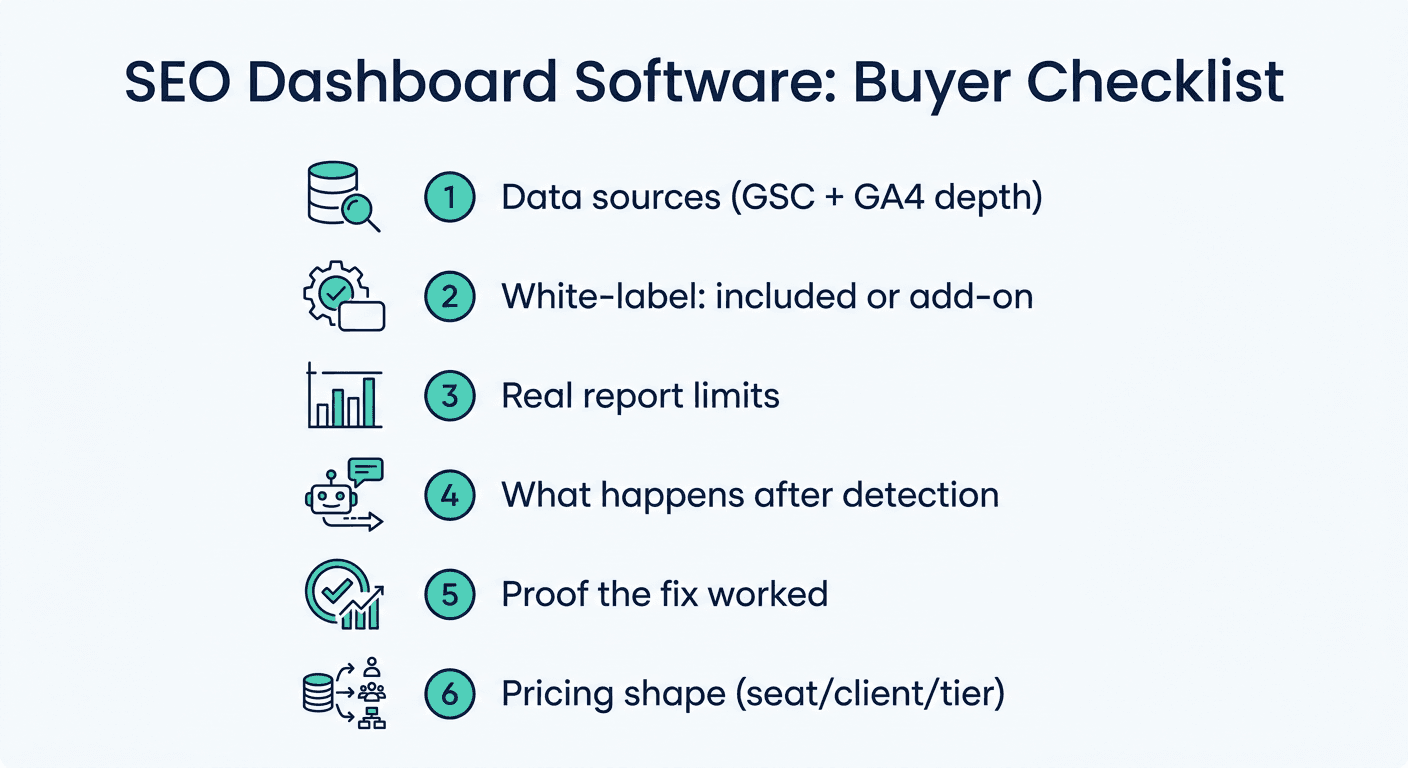
Here is the order that matters, based on where teams actually get burned after signing.
1. Which data sources are native, and which need a paid connector
Every vendor claims "GSC and GA4 integration." What varies is depth. Ask specifically:
- Does it pull GSC query-level data (the actual search terms driving impressions), or just aggregate position numbers?
- Is GA4 a native pull, or does it route through a third-party connector that adds its own monthly fee?
- Can it blend GSC + GA4 + rank-tracking data in one view, or do you get three separate tabs you still have to reconcile by hand?
A dashboard that shows rankings in one tab and conversions in another is not answering the question stakeholders actually ask: did the ranking change make us money.
2. Whether white-label reporting is included or gated
This is the single most common bait-and-switch in the category. Across the current market, white-label reporting shows up in one of three ways:
- Included at every tier (rare, and worth paying a premium for if you run client work)
- Gated behind an enterprise or "agency" tier that costs meaningfully more than the entry plan
- Sold as a standalone add-on, often $100 to $200+ per month on top of your base subscription
If you are buying for client reporting, confirm the exact plan tier white-labeling unlocks before you compare sticker prices. A $129/month "starter" plan that needs a $69/month add-on for white-label reports is really a $198/month plan.
3. Real report/dashboard limits, not the marketing number
"Unlimited reports" on the pricing page and "unlimited reports" in the terms sometimes mean different things. Entry-tier plans across several major SEO platforms cap scheduled or automated sends at 10 to 30 per month, with true unlimited sending reserved for higher tiers or add-on packs. If you manage more than a handful of client accounts, do the math on your actual monthly report volume against the plan's real cap, not the homepage headline.
4. What happens after the dashboard shows a problem
This is the question almost no dashboard vendor page answers directly, because most of them don't do anything about it. A dashboard tells you a page dropped from position 5 to 14. Then what?
<mark class="km-highlight" style="--hl:#FEF08A;background:#FEF08A">In most tools, "then what" is you: export the data, open a ticket, brief a writer, wait for a draft, publish it yourself, and check back in three weeks to see if it worked.</mark> That's not a criticism of any one vendor, it's how the category was built: SEO suites are detection tools first, with a reporting layer bolted on. Fixing the page was always assumed to be someone else's job, done in someone else's tool.
Murkuz was built to close that specific gap. Its dashboard runs the detection every SEO tool does (declining pages, positions-11-to-20 opportunities, content decay) but then generates a task with the recommended fix attached, drafts the content update in your brand voice, and pushes it live to WordPress, Webflow, or Framer with one click. The dashboard doesn't stop at "here's a problem." It's also where you approve the fix.
5. Whether it can prove the fix worked, not just that a metric moved
A rankings chart trending upward is not proof that your work caused it. Google's own algorithm updates, seasonality, and competitor changes move rankings constantly, independent of anything you did. Most dashboards conflate "the number went up" with "we did that," which is exactly the gap that makes SEO spend hard for a CMO or a client to defend in a budget review.
Look for a tool that ties a specific content action to a specific ranking outcome, ideally with a before/after window and a defensible causal link, not just two lines on the same chart. Murkuz calls this the Agentic Impact Scorecard: it links a specific fix (a content refresh, a new page, a consolidation) to the ranking change that followed it, so "did that work" has an actual answer instead of a chart and a shrug.
6. Pricing shape: per-seat, per-client, or flat tiers
SEO dashboard pricing comes in three shapes, and they scale very differently as you grow:
| Pricing model | Scales with | Where it hurts |
|---|---|---|
| Flat tiers by project/site count | Number of sites or projects tracked | Fine for a single site or small team; expensive once you cross a tier's page or project cap |
| Per-client pricing | Number of client accounts | Predictable per-client cost, but adds up fast for agencies with many small retainers |
| Per-dashboard pricing | Number of dashboards built | Cheap to start, can multiply quickly if every client needs 2-3 dashboards each |
None of these is "correct." The mistake is picking a tool priced one way while your business grows the other way, an agency on per-client pricing that's about to take on twenty small local-business clients will hit a very different bill than one on flat tiers tracking three large sites.
7. Trial length and what it actually unlocks
A 7-day trial is rarely enough to see a real ranking or traffic pattern; a 14-day trial catches roughly two report cycles. Check whether the trial includes the tier you'd actually buy, some vendors trial you on their top plan and then downgrade features when you convert, which means the dashboard you fell in love with during the trial isn't the one you're paying for.
Red Flags Worth Walking Away From
A few patterns show up often enough in this category to call out directly:
- The demo dashboard is prettier than the real one. Ask for a live account walkthrough with a real (even if small) dataset, not a polished sample.
- "AI insights" that are generic commentary. Some tools now bolt AI summary text onto dashboards; ask what data it's actually reasoning over, not just whether the feature exists.
- No mobile view. If a client or exec is going to glance at this on a phone before a meeting, and most will, confirm the dashboard renders usably on mobile before you buy.
- Support response times buried in fine print. "Priority support" language means little without a stated response time (24h, 48h) attached to your specific tier.
- Data source lock-in. If switching dashboard tools later means re-authenticating every GSC and GA4 property and rebuilding every report from scratch, factor that migration cost into your decision now, not after year one.
SEO Dashboard Software vs. Building Your Own
Some teams skip paid dashboard software entirely and build on Looker Studio (formerly Google Data Studio) connected directly to GSC and GA4. It's free and flexible, and for a single site with straightforward reporting needs, it can genuinely be enough.
The tradeoffs show up at scale: no built-in rank tracking (you still need a separate tool for that), no white-labeling beyond what you build manually, and every new client dashboard is manual setup rather than a template you clone. It's a reasonable starting point for a solo operator or an in-house team tracking one domain; it becomes a maintenance burden fast for an agency running reports across a dozen client accounts.
How to Actually Decide
Match the tool to the job, not the review score:
- Tracking one site, need a simple visibility check: a free Looker Studio build or an entry-tier reporting tool covers it. Don't pay for a full SEO suite you won't use.
- Running client reporting for several accounts: prioritize white-label terms and real (not marketing-page) report limits over the size of the feature list.
- You're tired of the dashboard just being a to-do list you have to execute manually: look specifically for tools that connect detection to a fix, not just detection to a chart. That's the gap most dashboard software still leaves open, and it's worth reading a head-to-head like Murkuz vs. Ahrefs to see what "detection plus action" actually looks like against a pure detection tool.
If you want to see what a dashboard built around proving impact (not just displaying charts) looks like end to end, the SEO reporting dashboard guide walks through the build, and the client SEO report template covers what to wrap around it before you send it to a client.
FAQ
What is an SEO dashboard?
An SEO dashboard is a visual report that pulls ranking, traffic, and technical SEO data (usually from Google Search Console, Google Analytics, and a rank-tracking tool) into one view, so you can check performance without logging into each source separately.
What is the best SEO dashboard software?
There isn't a single best option, it depends on whether you need a lightweight reporting layer for one site, a full SEO suite with a dashboard attached, or a tool that also acts on what the dashboard finds. Match the category to your actual job before comparing brands.
Is there a free SEO dashboard tool?
Yes. Google's Looker Studio is free and connects directly to GSC and GA4, and several paid tools offer limited free tiers. Free options work well for a single site with simple reporting needs but lack built-in rank tracking and white-labeling.
Do I need separate tools for reporting and rank tracking?
Not necessarily. Full SEO suites bundle rank tracking, keyword research, and reporting into one subscription. Standalone reporting/BI tools are cheaper but need a separate rank tracker feeding them data. Which is cheaper overall depends on how many other SEO tools you're already paying for.
Can ChatGPT build an SEO dashboard?
ChatGPT can help you structure a report or write a Looker Studio query, but it cannot pull live GSC or GA4 data on its own without a connected tool or API. Treat it as a drafting assistant for report structure, not a data source.
Junaid Khalid is the founder of Ertiqah, the company behind Murkuz, and has run SEO as the first growth channel across his own SaaS products before building a platform around that experience.